
Your AI workspace
inside WordPress
Not a chatbot on someone else's service. Ahentic is your own agent in the site you already manage, and it sees the screen you're on, does the work, and asks before anything important.
Free and open source. Uses your own AI key in WordPress, not a subscription. ⌘I to open it anywhere in your site.
 AHENTIC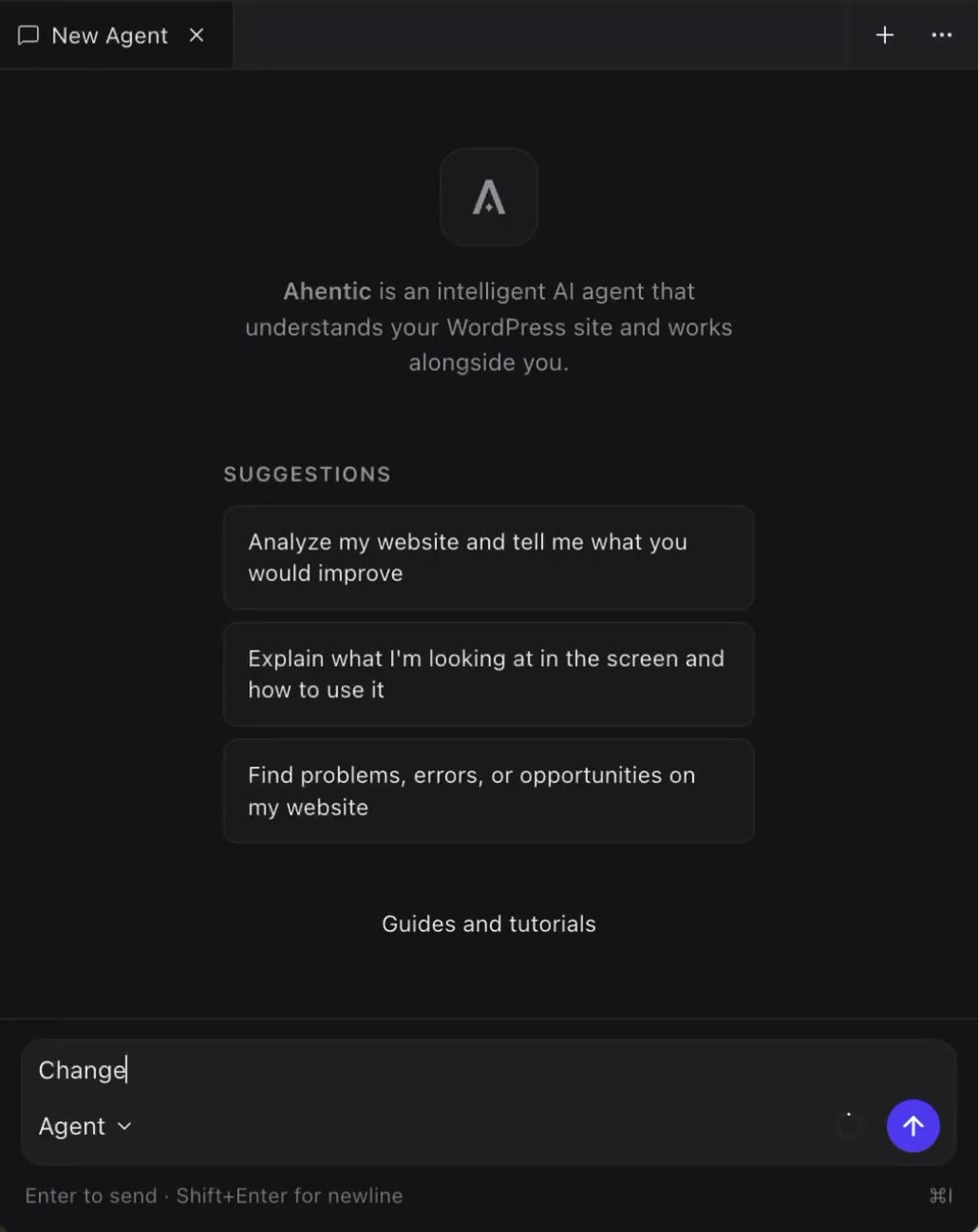
Open Ahentic on the screen you're already on
Ahentic can see that screen, including the block editor or a settings screen. You keep using the admin while it runs.
“What is this site, and what should I fix first?”
It reads this install, including Site Health, plugins, settings, and the page in front of you.
“Rewrite our feature showcase.”
It edits the block editor while you watch, not a blob of HTML pasted into chat.
“Add internal links to this article.”
Finds relevant posts and links them inline to improve navigation and SEO.
“Update the hero image to match my site.”
Creates a fitting image and replaces it automatically.
“What else do I need before I launch?”
Checks for unused plugins, leftover placeholders and pre-launch gaps.
“Where can I edit this phone number?”
Shows you links to the admin screens to update the phone number.
YOU STAY IN CONTROL
Ask
For questions and exploration. Ahentic looks things up and answers. It should not change the site.
Agent
For getting work done. It may plan steps and make changes.
You Approve
Important changes pause for your OK. Allow this once, allow it for this chat, or skip it.
Tabs
Several agents and jobs at once. Open a new tab for a new goal, so work does not get mixed.
You stay in WordPress while Ahentic works on the screen you already have open. You remain the person in charge of the site.
Your API key.
Not a subscription.
Ahentic doesn't sell you model access. Use whichever AI connector is available in WordPress, such as OpenAI, Anthropic, or Google. Your key stays in WordPress Connectors, and you pay your provider for usage.
- 01Install the free WordPress AI plugin if it isn't already active.
- 02Go to Settings → Connectors in WordPress.
- 03Add a key from the provider you choose.
- 04Come back to Ahentic and send a message.
Built on WordPress APIs, not a private stack bolted on the side.
WordPress AI Client
The site talks to models the WordPress way, with the provider you configured.
Connectors
Your API key lives in WordPress settings. You never paste it into Ahentic.
Abilities API
The agent runs named WordPress actions with permission checks, not a hidden tool list.
Block editor aware
It works on the page you have open, including what you have selected.
No vendor SDK required inside Ahentic. Switch providers in Connectors without rewriting the workspace.
IN THE BOX
- Sidebar workspace on wp-admin and the front end
- Open anytime with ⌘I / Ctrl+I, the admin bar, or the front-end control
- Ask and Agent modes
- Approval before important changes
- Several conversations at once, as tabs
- Conversations stored on your WordPress site, not only in the browser
Put an agent in your site.
Free, open source, and it works with the AI key you already have.